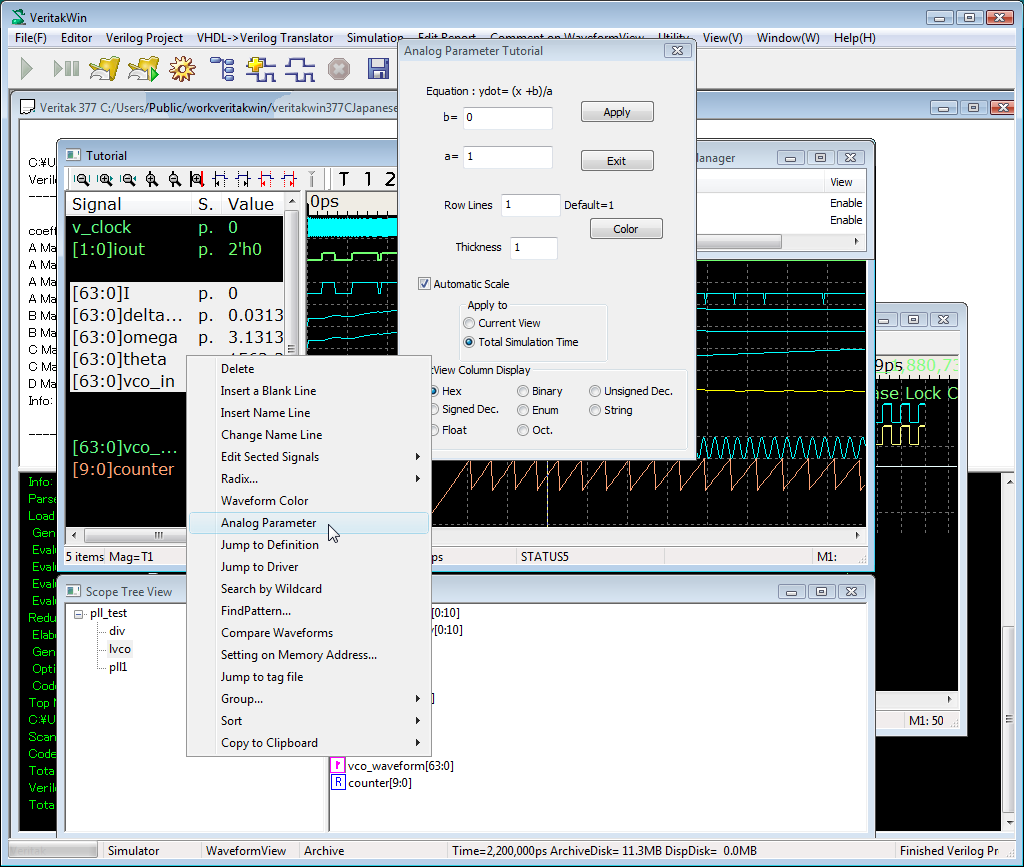
Change Signal Property.
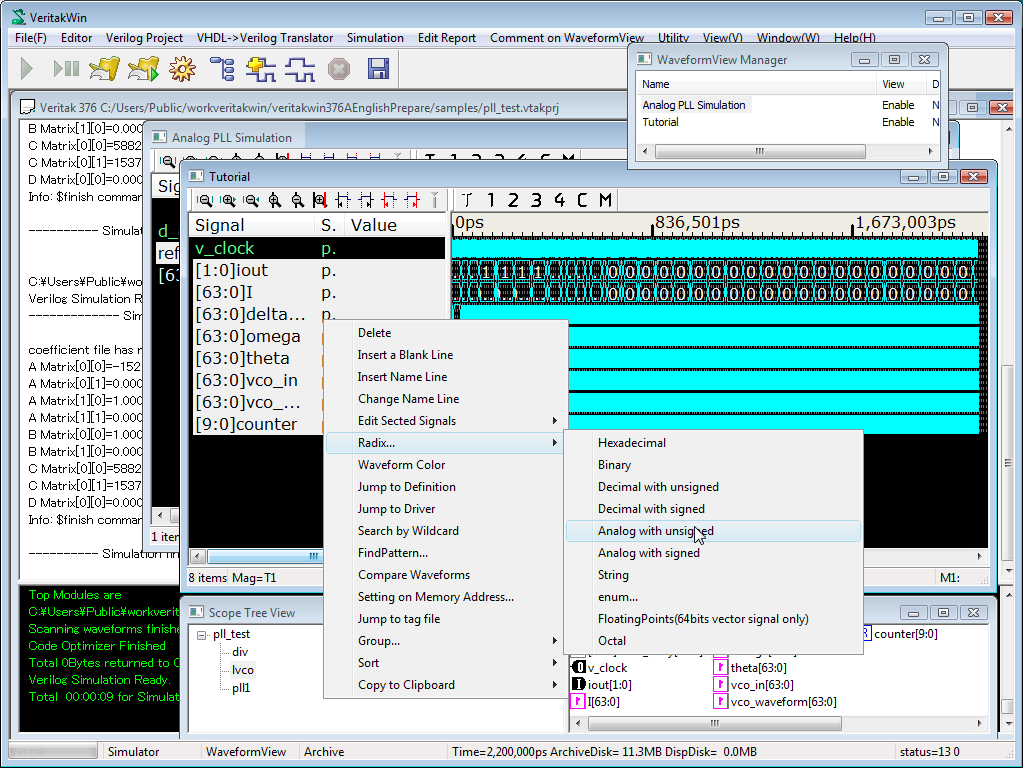
Let's see second waveform named "tutorial".We change some of those signals to analog.
- Select signals to change analog waveforms
- Right Click->radix ->Analog with unsigned
Here is a example to view analog waveform.
Load and the project "pll_test.vtakprj" in samples folder.
Run the project, then you'll get following waveforms "on the fly".
Double click to _out1makes analog-waveform as below.
Double click again to dismiss analog waveform.
Analog waveform parameters can be variable by right click. and Analog Parameter...
Then parameter dialog box will appear.
Set appropriate values.
To update the view, dismiss the analog waveform and, double-click will
make updated analog waveform.
Change Signal Property.
Let's see second waveform named "tutorial".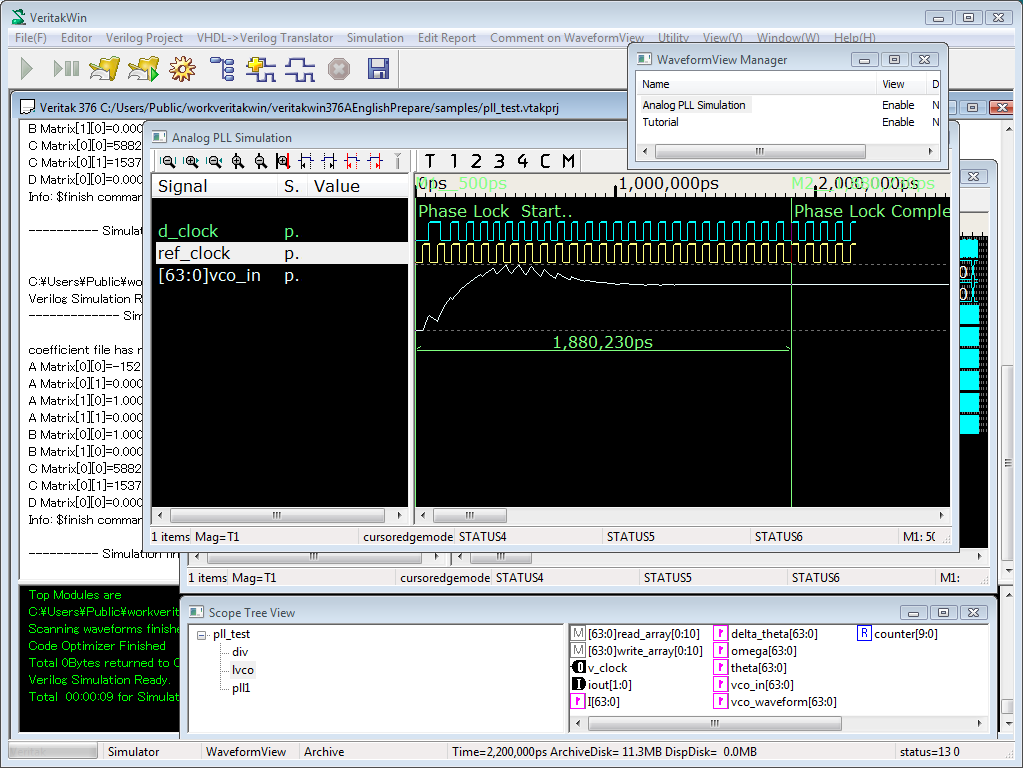
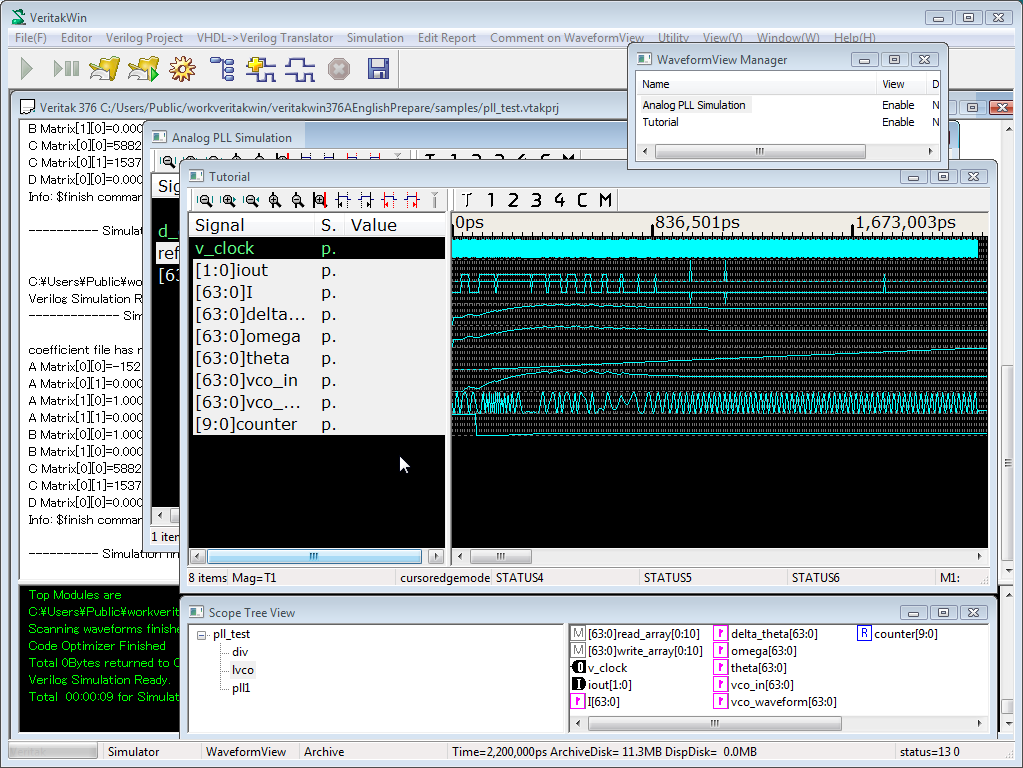
Then you will get following waveforms.
Change Analog Property
To change analog waveform's property,
Row Lines determines range-height of the waveform.
Default full-scaling is applied with total simulation time.
So you don't need to change a/b parameter in most situations.
You can change digital value display format (listview column/tooltip) or
color by the dialog below.