2.4.6 Grouping
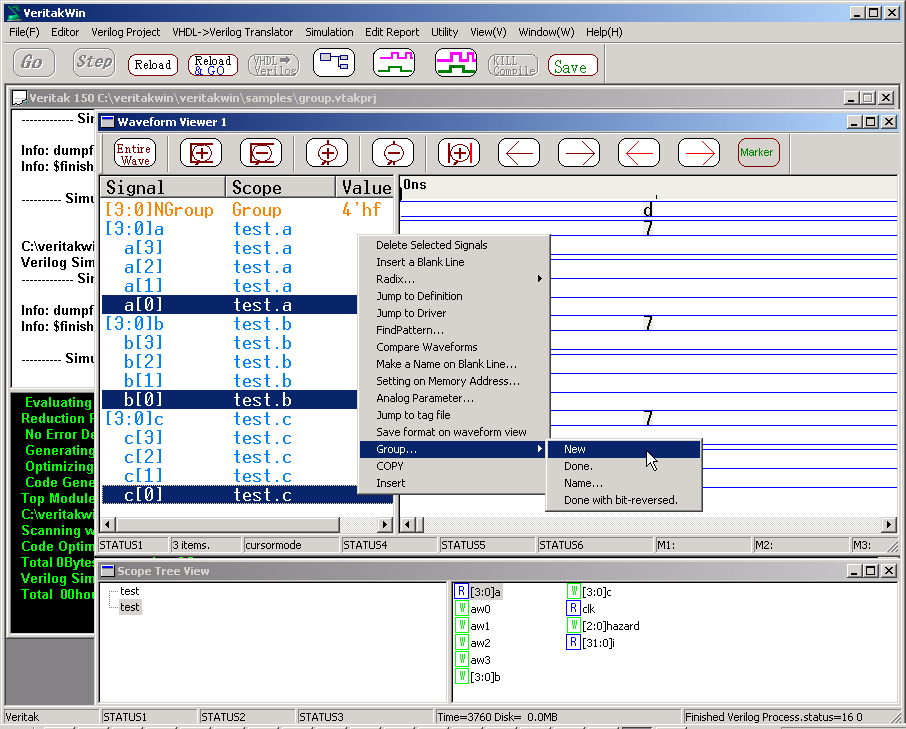
In order to make group signals,
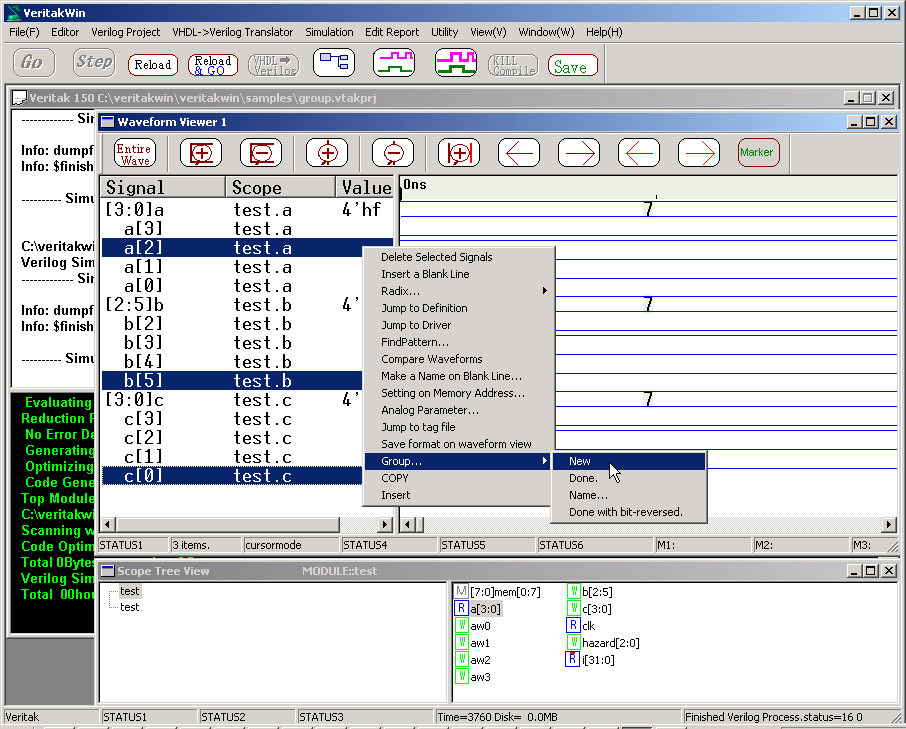
- Expand the signals to bits
- Select the bits to group
- Right-Click =>Group => New
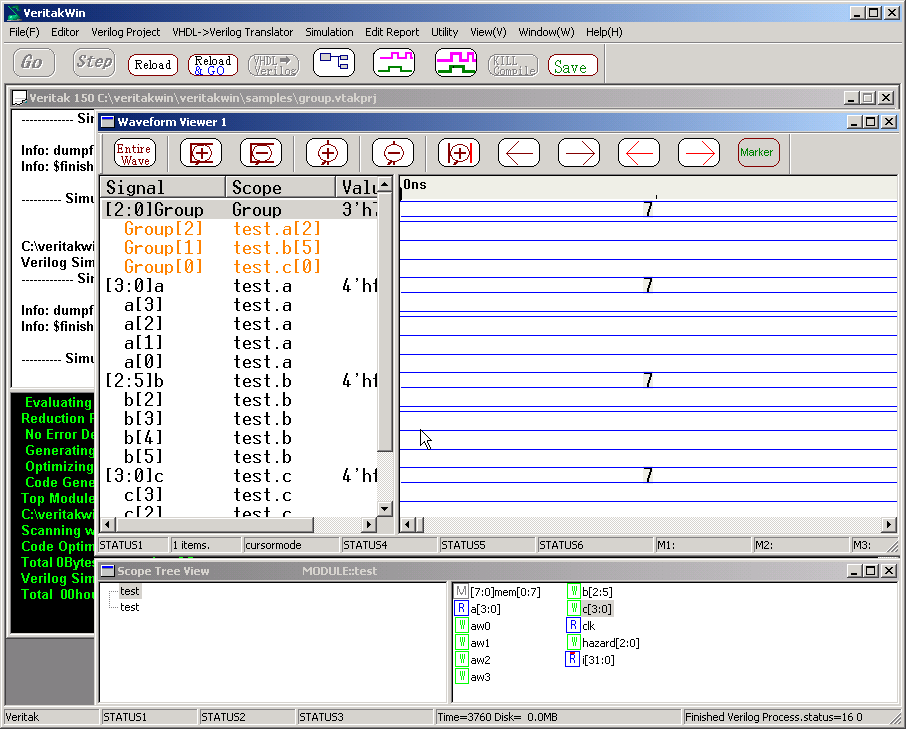
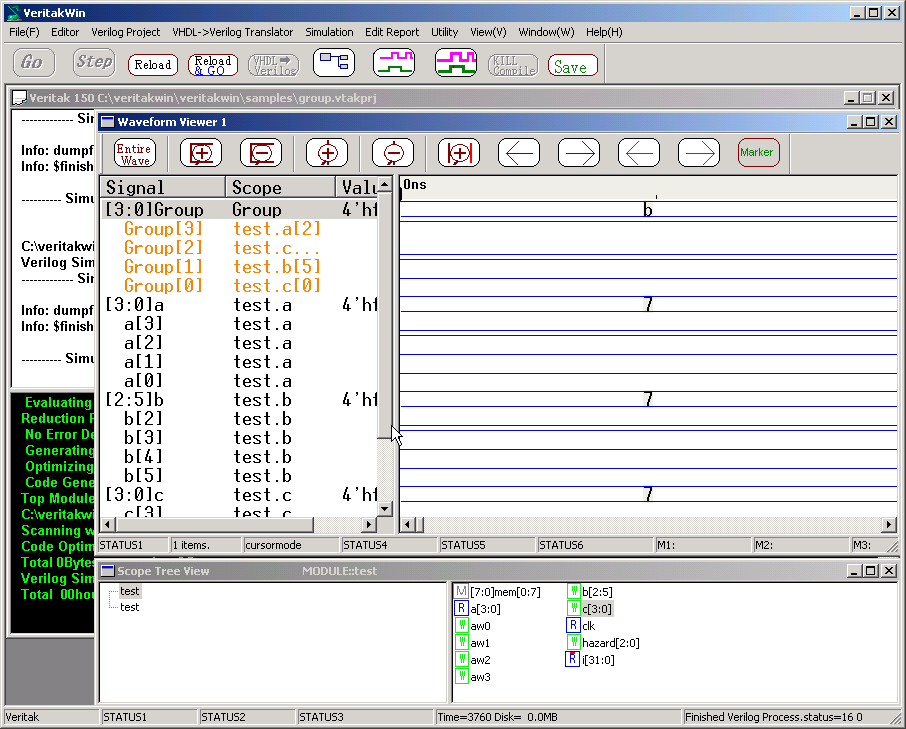
Then, you will find a new signal named "Group".
Expand "Group" to bits and make sure corresponding bits are grouped.
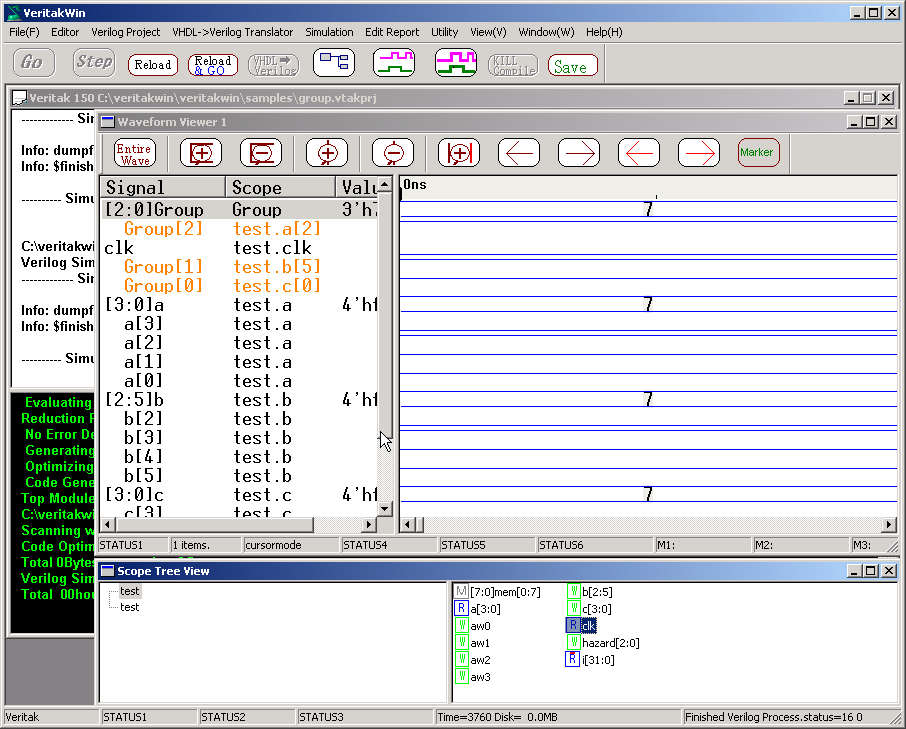
If you would like to add some signals after making new group signal, insert/cut/paste
the signal. Next example shows adding "clk" to group.
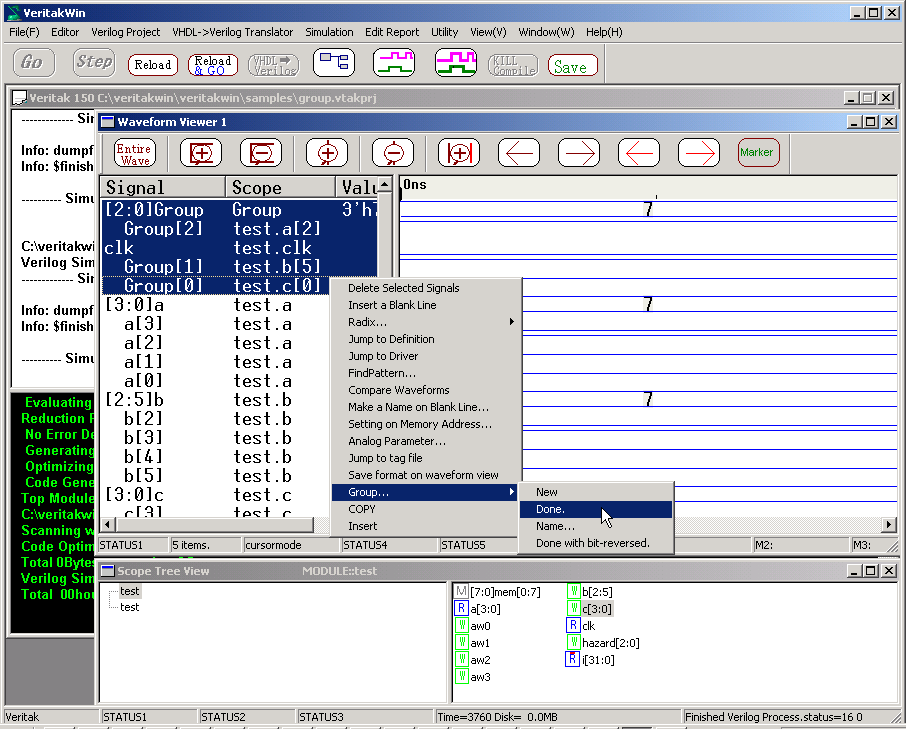
Then Select the all signals with the top of Group signal to edit
- Right-Click =>Group =>Done
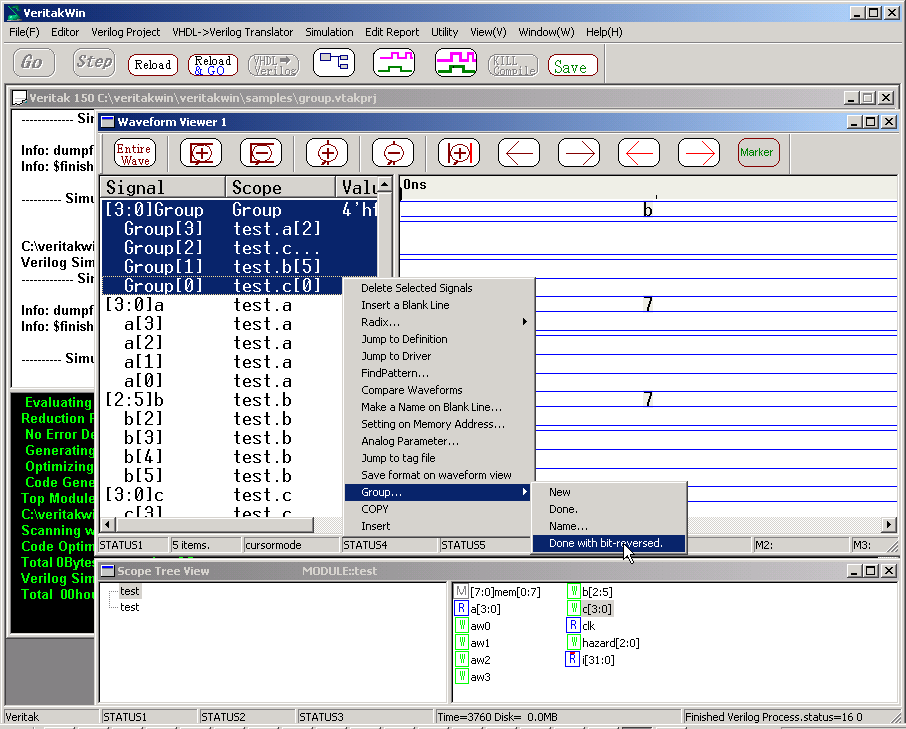
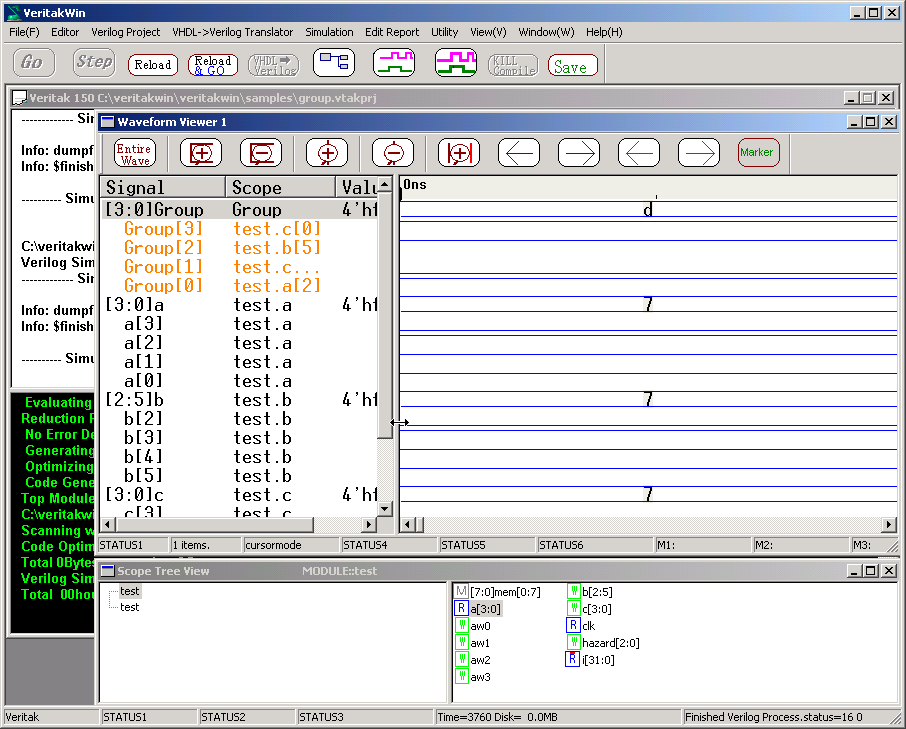
If you prefer to get bit-reversed,
- Select the signals to edit with the top of Group signal to edit
- Right-Click =>Group =>Done with bit reversed
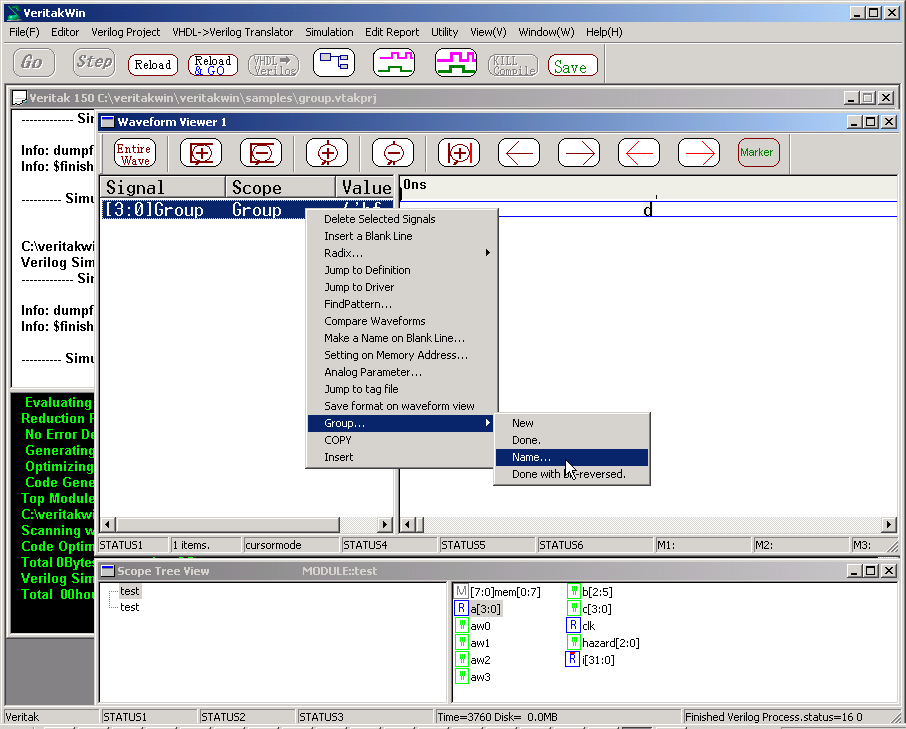
To change the name,
- Right-Click =>Group=> Name
VCD signals also can be grouped.however VCD group must consist of only
VCD signals.
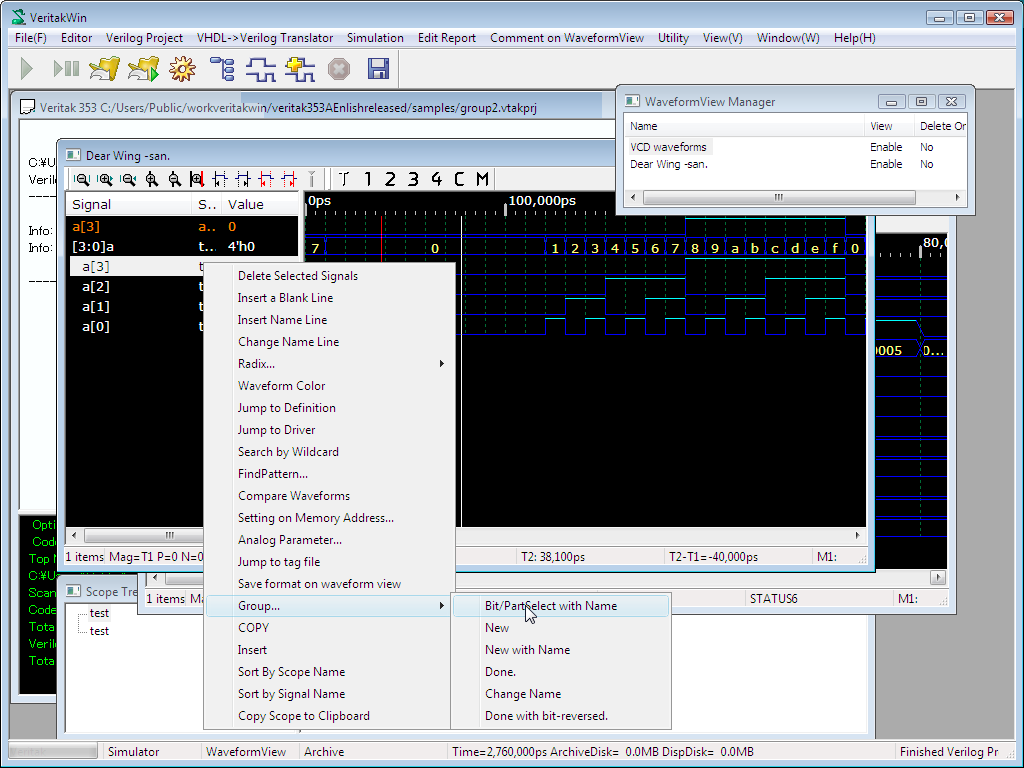
Add bit select / part select of vector as indivisula waveform signal.
- First expand bit vector by DblClicking the vector
- Select the signal
- Right Click , Select Group...-> Bit /PartSelect with Name
- Ex. From 3.69B a[2:1] part select becomes a2_1
- You can add part select of the vector by selecting multiple rows as well..
- If you would like to disable range of vector display, check the option
of "Disable display of range " on project settings.
- You can edit the name of new signal by Change Name on menu of Group..
- This is useful for taking bits of a signal vector. To merge plural signals, follow the sections below.